

Optimize your disk space with SpaceMonger
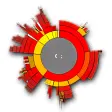
SpaceMonger is a powerful tool designed to help users effectively visualize and manage disk space. With its unique tree map interface, the software allows for clear identification of large files and folders, making it a strong choice for anyone looking to reclaim storage and maintain an organized digital environment. Each file or folder on a specific drive is organized in a box within the main window, making sure that you have easy access to everything that you need.
A smarter way to manage your data
SpaceMonger excels in providing a clear overview of disk space usage through a visually intuitive treemap. Each rectangle within this view represents a file or folder, with its size directly correlating to the disk space it occupies. This graphical layout simplifies the task of locating space hogs, and users can easily drill down into subfolders for deeper insights thanks to the zoom functionality.
Navigation is user-friendly, facilitated by intuitive mouse interactions and a well-integrated context menu. Users can swiftly perform essential file operations—like copy, delete, or move—enhancing their efficiency in managing disk space. This combination of design and functionality makes SpaceMonger a valuable ally in digital housekeeping.
Performance without compromise
SpaceMonger delivers impressive performance, particularly for users managing large directories. Typical loading times reflect its efficiency: scanning a 100GB directory on an SSD takes around 5 seconds, while a 1TB directory on a traditional HDD scans in about 30 seconds. This optimized performance is achieved through multi-threading and asynchronous I/O techniques, ensuring quick and seamless data retrieval.
Users can take advantage of real-time updates on disk space, with changes reflected in approximately 2 seconds. While this enhances the user experience, it may slightly affect system performance during intensive scans. Additionally, SpaceMonger maintains a commendable resource usage profile, typically consuming around 20% CPU on an Intel i7 processor and approximately 150 MB of RAM during a 1TB drive scan.
Focused and effective toolset
SpaceMonger stands out for its intuitive visualizations, graphically displaying hard drive usage to make it easier for users to see which files and folders consume the most space. Its ability to provide *real-time performance updates* ensures that users maintain an accurate snapshot of their disk usage. However, while this software excels in clarity and user engagement, it may lack some *advanced features* found in other disk management tools, making it more suitable for general users rather than power users seeking robust functionality.























.png)